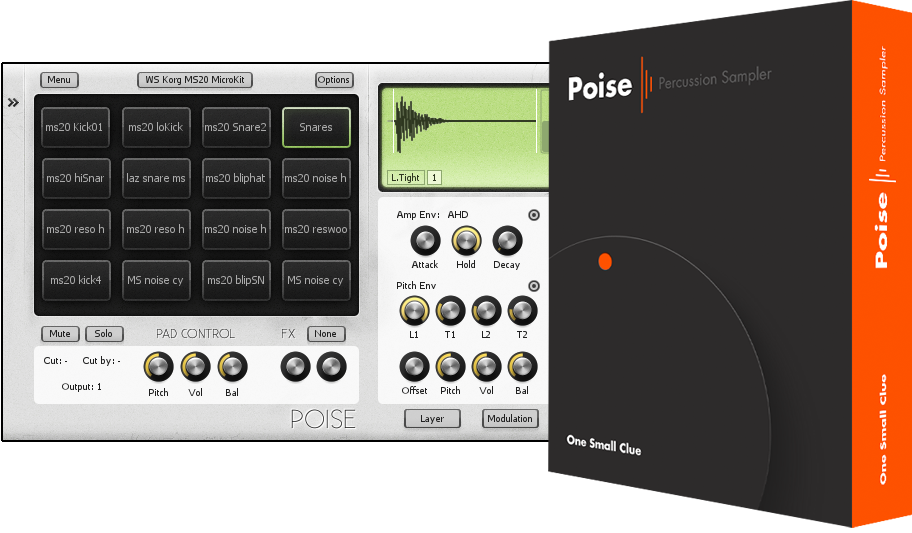
Poise Change History
Version 1.0.20 (9 March 2010)
Since releasing Poise I have been unhappy with the amplitude envelope behaviour. It hasn't been
intuitive to set the envelope settings because their behaviour changes depending on the play mode used.
One of the common support questions is “How can I get the amp envelope to do [...]?”
The last update included a new play mode, 'Auto', but after having a conversation with Michi_mak I've
decided that was a mistake. I've removed the 'Auto' mode. Poise now defaults to “One-shot” mode. While
in “One-shot” mode, the release stage of the amplitude envelope is ignored. Previously the release knob
would still be shown on the GUI, now the release knob is hidden.
-
Change: 'Auto' play mode removed.
-
Change: Amplitude release knob is now hidden when using 'One-shot' play mode.
-
Bug Fix: Hot keys now work in Ableton Live.
-
Bug Fix: An access violation error would occur when opening the GUI while using a skin with missing images.
Version 1.0.19 (2 March 2010)
-
Change: new skin color properties added.
- PadControlLabelColor
- BrowserLabelColor
- SampleControlLabelColor
-
Change: Gem theme now default
-
Change: Normalising samples on load is now optional.
-
Imporvement: Added a third play mode, "Auto". It is a hybrid of the "Note-On" and "One Shot"
modes. Samples will play to the end when envelopes are off. Envelopes will have their
release stage triggered on midi note-off events.
-
Improvement: Some general improvements when searching for lost files.
-
Improvement: Drum kit data folders aren't shown in the browser anymore.
-
Improvement: [Ctrl + Alt + Drag and drop one pad to another pad] will set up a pad link.
-
Improvement: Triggering a pad with the mouse now also triggers all linked pads.
-
Improvement: Pads are now triggered with different velocities depending on where they are clicked.
-
Improvement: Layers triggered with the mouse will trigger with appropiate velocities.
-
Improvement: The "select pad with midi note" option now also selects the triggered layer.
-
Improvement: When clicking a pad, the triggered layer will automatically be shown.
-
Improvement: All previous search paths are used when searching for a missing sample file.
-
Improvement: 'Learn all trigger notes' now works a little differently.
-
Bug Fix: When importing a cell, velocity ranges were sometimes restored incorrectly.
-
Bug Fix: Loading more then 8 sample files on a pad would lead to a crash.
-
Bug Fix: When dragging a sample from one pad to another, multiple samples would sometimes be moved.
-
Bug Fix: Loading projects saved with the demo version would cause errors.
-
Bug Fix: After learning trigger notes, parameters weren't able to be adjusted.
Bug fixes related to new save/load methods introduced in version 1.0.15
-
Bug Fix: Amplitude envelope type wasn't restored when loading projects/kits.
-
Bug Fix: Relative paths are now stored in the drum kit files.
-
Bug Fix: sample file locations weren't saved correctly
-
Bug Fix: Some changes to the the way embedded sample data was saved.
-
Bug Fix: Velocity values from older drum kits were read incorrectly.
Version 1.0.15 (5 February 2010)
-
Change: If any sample data is orphaned from sample files, Poise will automatically
embed the sample data into the project file.
-
Bug Fix: Resaving a drum kit using the "Save Drum Kit + Samples in Folder" option would
cause the existing sample files to be deleted.
-
Bug Fix: Amplitude envelope knobs were sometimes not updated to show the correct value.
-
Bug Fix: The browser will sometimes automatically adjust it's position after a folder is opened
or closed. If it does, the mouse cursor position will change relative to the position of the browser
and in some cases a sample file would be previewed.
Version 1.0.13 (28 January 2010)
-
Improvement: Pads now have a voice mode property (Mono/Poly).
Poly is the default and allows pads to play overlapped notes.
Mono prevents notes from overlapping.
-
Improvement: 'Pad Release mode' has been replaced by 'Play Mode'.
-
Improvement: Choke groups have been replaced by the more flexible Cut/Cut by scheme. Poise did have
Cut/Cut by functionality but it was a non-standard implementation and was confusing to use.
-
Improvement: The Auto, Name and Samples buttons have all been removed. Their purpose was either
cryptic or unnecessary.
The Auto button has been replaced by a 'Select pad with midi notes' in the drum pad context menu.
The Name button has been replaced by a 'View' option in the drum pad context menu.
-
Improvement: The pad output selection control has changed from a numeric knob to a pop-up menu.
-
Improvement: The pad mute/solo indicators are now less visually overwhelming.
-
Improvement: Cut/Cut by drum pad indicators are now the same color as the drum pad text.
-
Improvement: The pitch knobs were impossible to adjust accurately. They now snap to
semitone and cent values.
-
Improvement: Pad Lock added. When loading a drum kit, locked pads will not be altered.
-
Improvement: The hot key routines have been tweaked slightly to improve support for having
multiple Poise GUIs open at the same time. (Hot keys were linked to the most recent opened GUI.)
This hasn't been tested extensively but appears to work correctly so far.
-
Bug Fix: The pad layer mode button wasn't updated when loading a sample on
an empty drum pad.
-
Bug Fix: Folders not containing any samples or child folders were unable to be closed.
-
Bug Fix: Linked pads didn't receive note-off events.
-
Bug Fix: Help text in status bar would disappear after adjusting a knob, even when the cursor was still
above the knob.
-
Bug Fix: Mute and Solo light colours on the drum pad weren't set correctly when reading skin config.ini file.
-
Bug Fix: [Podium] Poise would steal focus from Podium when the GUI was opened. Even when hot keys weren't enabled.
Version 1.0.11 (13 January 2010)
-
New: Added an ADSR envelope.
-
New: Added a Pad Link option. A drum pad will be trigged when it's linked pad triggers.
-
New: Support added for midi note names. (Midi note will show the name of the drum pad.)
-
Improvement: Made changes to the Amplitude envelope drawing process to improve envelope visibility.
-
Improvement: Phase flipped samples are now drawn correctly. They were being drawn identically to non
flipped samples.
-
Bug Fix: The Poise GUI was consuming excess CPU cycles when the browser was visible.
-
Bug Fix: Midi learn menu wasn't responding to mouse clicks.
-
Bug Fix: Poise wasn't opening files correctly. In some situations this could lead to a crash.
(Files were being opened with share mode set for exclusive use.)
-
Bug Fix: The GUI was using excess CPU when covered by another window. (The Choke and Output
numeric controls weren't updated correctly).
Version 1.0.10.6 (1 September 2009)
-
VST window did not resize correctly in Cubase.
Version 1.0.10.4 (7 August 2009)
-
Reaper 2 didn't support Vst's changing their GUI size. Poise worked around this
by changing Reaper's Vst container window size directly. As of Reaper 3 this
work-around seems to be causing problems and Reaper 3 now appears to support
Vst GUI size changes (via the standard VST interface. :) The work-around has
been disabled for Reaper version 3 and up.
-
Instead of using the left and right mouse buttons to individually grab the
loop start and loop end markers in the wave display, the left mouse button will
now always grab and move the closest. (The old method didn't work correctly sometimes)
This frees up the right mouse button to show a context menu when the sample is right clicked
for sample operations such as reverse or phase flip. These options are often missed by new
users.
-
Output selection is now limited by available outputs instead of the max 16.
-
Velcicty Ex. mode now displayed as Velocity instead of Vel.Ex.
-
"Hotkeys" and "One Click Trigger" options now enabled by default.
-
Paremeter reset (for knobs) now also works with Ctrl+Click.
-
Bug fix: When editing a velocity range, the selected layer sometimes wouldn't update
correctly.
-
Bug fix: Initially, the upper limit of the velocity range sliders were being set to 127
instead of being normalised to the 0..1 range.
-
Bug fix: The visibility state of the labels wasn't being updated correctly when
switching skins. Labels were failing to appear.
-
Bug fix: Parameter reset wouldn't work if no samples were loaded on a drum pad.
Added new skin properties to the skin "config.ini" file:
(All are optional)
-
[Image Links]
wfdSampleItemButtonOffMouseOver=LcdButtonMouseOver.png
wfdSampleItemButtonOnMouseOver=LcdButtonMouseOver.png
wfdWideButtonMouseOver=LcdButtonWideMouseOver.png
-
[Image Links]
wfdSampleItemButtonOffMouseOver=LcdButtonMouseOver.png
wfdSampleItemButtonOnMouseOver=LcdButtonMouseOver.png
wfdWideButtonMouseOver=LcdButtonWideMouseOver.png
-
[Colors]
InfoTextColor=$00000000
DrumPadMuteColor=$000000FF
DrumPadSoloColor=$0000FFFF
One skin property is now ignored:
-
[Other Settings]
ShowButtonText
Version 1.0.10.3 (27 June 2009)
-
Fix: Oops, didn't wire up the midi through option properly.
Version 1.0.10.2 (26 June 2009)
-
New hotkey: SHIFT+ENTER will replace the currently selected sample.
-
Added option to flip the phase of a sample. (Right click the sample layer icon in the waveform
display.)
-
Midi pass through is now optional. By default Poise will pass though all midi in all
hosts except Podium. (The midi pass though setting is saved per project.)
Version 1.0.10.1 (15 June 2009)
-
Fixed: When loading drum kits, Poise wouldn't find the samples after the
drum kit file was moved.
Version 1.0.10 (11 June 2009)
Changes:
-
To reduce save data sizes, missing or orphaned sample data
is no longer automatically embedded into the project file. A message dialog will
pop up instead. (This should help with sluggish-ness problems in Reaper.)
-
Drum kit load and save times are much faster now.
-
Midi is now passed through to output.
-
Amplitude envelope attack time now defaults to 0 instead of 1.
-
Page Up / Page Down now work to navigate the browser.
-
"Export kit with samples in file" (the monolithic drum kit format) has been removed
to improve compatability with Reaper. Poise will still load existing kits saved
using the monolithic format. (To avoid removing the option for monolithic drum
kits, a restructure of the drum kit format and a involved code rewrite would have
been needed.)
-
If only one folder is added to the browser, it will automatically expand
when the GUI is opened.
-
The behaviour of the browser scroll bar has been fine tuned a little.
-
Added rudimentary support for importing LM-4 and MPC 1000 drum kit files. Improvements
and more formats are planned.
-
Added support for SND files. (Akai MPC etc)
-
Added support for AIFF files. (8,16,24 and 32 bit AIFF file supported.)
Bug Fixes:
-
Loading drum kits no longer freezes the GUI.
-
Clicking a pad while holding Ctrl and Alt keys would cause an error.
-
Drum kit files dropped on a pad from windows explorer were being ignored.
-
There was an error when dragging and dropping more than 8 samples
on a single pad.
-
Long samples (longer then 10 seconds) would play with very loud noise bursts.
-
keyboard shortcuts in Podium didn't work properly. (Keyboard hook was attached to
the wrong window).
-
Pressing the left arrow key immediately after opening the GUI would cause an 'access violation'
error and possibly crash the host.
-
Fixing the bug causing EnergyXT 2 to crash while changing the output count had
the side effect of making Poise unable to change it's output count in Reaper.
A work-around has been added to fix this for Reaper users. (Reaper doesn't
report it's ability to accept IO changes correctly.)
-
In some situations, a drum kit would load with incorrect sample paths.
-
Layer mode button visability state wasn't updated correctly when cutting
or pasting pads.
-
When operating in fixed-output mode, output config menu options are now hidden.
Version 1.0.9.8
-
New: "Poise.dll" file can be renamed to "Poise xx Out.dll" where xx specifies the number of
outputs. (1 to 16 stereo outputs are valid). This allows Poise with different output configurations
to be used in hosts which do not support plugins with variable input/output configuartions (such as
EnergyXT 2 or Bidule).
-
Fixed: Hosts that do not support plugins changing their input/output counts would crash.
-
Possible Fix: Replacing a sample in Podium could cause a crash.
Version 1.0.9.7
-
Mouse wheel support for the browser added. (Round 2)
-
Fixed: There was an another issue with projects not being loaded.
Version 1.0.9.3
-
The demo limitations have changed.
- Saving has been disabled.
- The demo is limited to one instance.
- There is no time out for the evaluation period.
- There is no noise in the output.
-
Modified save routines. Some drum kits were not loading properly and kit could become corrupt.
If anybody has any problems loading drum kits please let me know.
-
Rename now renames all selected pads.
-
Poise allows multiple cells and layers to be selected, but de-selecting them
hasn't been intuitive. Cell and layer de-selection now works as it does in
windows. (ie. Click selected item and release).
-
The way the delete key works hase been changed.
- Add samples to a drum cell, press delete, only the newly added layers will
be deleted.
- Click on a drum pad, press delete, the entire drum cell will be deleted.
- Select a cell layer, press delete, only the selected layer will be deleted.
-
The layer selection method has changed to improve consistency.
- Double click no longer selects/deselects all layers.
- Dragging a layer no longer moves the layer.
- Dragging across the layers now selects those layers, the same as dragging
across the drum pads.
- Dragging layers from the wave display to a drum pad will move the selected
layers to the new pad.
-
When multiple drum pads are selected, Pad de-selection has been changed to
mimic Windows.
-
Added a 'Progress' dialog when loading and saving drum kits. The dialog
boxes are optional. Reaper users are recommended to turn them off.
-
One click to trigger a pad option added.
-
Added mouse wheel support for the browser. (Can somebody confirm if
it works or not. I don't own a mouse with a mouse wheel.).
-
Poise will now ask for a temporary file folder if a sample needs to be
edited or copied and the sample file doesn't exist.
-
Browser can now see drum kit files (.dkt). Load drum kits by dropping on
a pad or pressing enter.
-
The 'End' key triggers the selected drum pad.
-
Updated some skin functionality.
- Skins now use a config.ini file instead of a config.txt file.
The INI file format is easier to read and edit.
- New skin variables added.
-- SelectedNodeColor
-- SelectedNodeAlpha (Valid values range from 0 to 255)
- Cells and Drumkits now have icons when viewed in the browser.
-
"Save Kit + Embed Samples" changed to "Export Kit (one large file)". Functionality remains the same.
-
Save Kit + Samples will check for an existing sample directory and delete
any contents if need be.
-
A couple of checks have been added to ensure sample data isn't lost
when saving projects or drum kits.
-
Updated about box, added credits for skin creators.
-
Poise is drag+drop compatible with ImageLine Edison again.
-
Fixed: CPU spike bug. When triggering long samples (5 seconds+) the CPU
load would spike, causing audio dropouts in some circumstances.
-
Fixed: Renaming pads would trigger a window's warning sound.
-
Fixed: The pitch envelope wasn't being reset properly when a drum voice
was retriggered.
-
Fixed: Sample offset wasn't being saved.
-
Fixed: After loading a drum kit, the sample path info could sometimes be
incorrect leading to 'missing' samples.
-
Fixed: Poise was holding onto excess ram after loading patches.
-
Fixed: The mouse-over indicator on the sample list box didn't update correctly
when the mouse left via the top of the control.
-
Fixed a problem with GUI scaling.
-
Fixed: When saving a FXP or FXB in EnergyXT, Poise would still capture keystrokes.
Version 1.0.9
-
New: Added a release mode parameter for each drum pad.
- Release mode can have three values. No Release, Release on retrigger and
release on note-off.
- Release mode controls how Poise responds to note-on and note-off events.
-
Fixed: Triggering a cell after swapping could cause audio artifacts.
-
Fixed: Swapping a cell with one on a selected drum pad could cause
audio artifacts.
-
Fixed: Sample Layer knobs didn't update correctly with no samples loaded.
IE. Their behaviour was very funky.
-
Fixed: Non 44100 samplerate releated bug.
-
Fixed: Several GUI components were not using the colours specified by the
skin config file.
-
Fixed: Samples weren't always triggered when velocity was on the edge of
its velocity range.
-
Fixed: The balance parameter recall has again been 'fixed'.
-
Fixed: When reseting a pad, the waveform display wasn't updated correctly.
Version 1.0.8
-
Improved skin support.
-
Added a skin config file (config.txt) to allow font
colours and other attributes to be changed.
-
Added a 'skins' directory. The skins directory holds multiple skins. (Each skin should
be in it's own sub-directory). The active skin can be changed in Poise's main menu.
-
Sample playback has been optimised.
-
Improved velocity range editing.
-
Added 'Split Velocity Ranges' function.
-
Added 'Remove Overlaps' function.
-
Added copy/paste functions to copy ranges from one pad to another.
-
Can now edit the velocity ranges while using 'Velocity' mode. Before the
velocity ranges were calculated automatically.
-
It is now possible to select several sample layers (shift+click) and
edit values for all sample layers simutaneously. Double clicking a sample layer will
select all sample layers.
-
New shortcuts:
- F2: rename current pad.
- F5: show/hide the browser.
- F6: Preview on/off.
- F7: Auto select pad on/off.
-
Consistency between the different layer modes has been improved.
- Dropping a sample on a pad will always load the sample to a new layer.
- Dropping a sample on the waveform display will replace the current sample.
NOTE: Dropping multiple samples on the waveform display will replace multiple
samples. If there are no samples to replace, the samples will be loaded
as normal. When replacing samples. The first selected sample will be
replaced first.
-
Changed: When editing multiple pads, editing sample layer specific parameters
(Amplitude attack, decay etc, ) will apply to all layers on all
selected pads. Previously edits were only applied to the currently selected
layer on the current pad.
-
Browser child node indent has been made smaller, to help limit the sideways drift.
-
Added option to clear trigger notes.
-
Changed the way samples are dragged from the browser. The change may have
fixed the problem with the browser tree sometimes collapsing.
-
Fixed: Copy/Swap hints didn't show in the sample LCD when on the
"edit velocity ranges" page.
-
Fixed: Midi learn indicator didn't disappear once midi learnt for a single
knob.
-
Fixed: Pressing enter didn't load all samples selected in the browser.
-
Fixed: Browser didn't respond to Ctrl+Mouse Click events properly.
-
Fixed: Deselect all pads wasn't working properly.
-
Fixed: wfd WaveformColor parameter in the skin config file wasn't being read.
-
The pad rename dialog as been replaced. It now opens above the current pad instead
of random places on the scree.
-
The mouse-over sample item hint has been changed.
Version 1.0.6
-
New: Multiple items can be dragged from the browser.
- Multiple sample files will be spread across all selected Pads.
- If only one Pad is selected, that Pad will load all samples.
-
New: Sample files can be dragged from a Pad to any application that will accept dropped files.
(Drag while holding Crtl + Alt)
-
The browser has been re-written. This has allowed several issues to be addressed.
- The graphic glitches have been fixed.
- Overall responsiveness has been improved. The old browser felt quite clunky
while sample preview was active. The improvement is most
noticeable with larger samples.
-
New: Individual samples can now be moved or copied from one pad to another
via drag and drop.
To move: Select sample, drag and drop to the new Drum Pad.
To copy: As above, but hold the control key down.
-
Improved resizing compatability with Reaper.
-
Fixed: Knob animations were jerky for some users.
-
Fixed: Pop-up hints were flickering for some users.
-
Fixed: An issue with the way patches/drums kits are saved.
-
New Hotkeys:
Ctrl-X, Ctrl-C, Ctrl-V for cut/copy/paste pad operations.
Tab, Shift+Tab to change current sample layer mode.
Version 1.0.2
-
Fixed: It wasn't possible to load saved Note Maps.
-
Fixed: Reseting a pad with multiple samples could lead to a crash.
Version 1.0.1
-
New: Added support for 32 bit PCM format .wav files.
-
Fixed: 8 bit .wav files were not being read correctly.
Version 1
-
New: Can now change the order of folders in the browser (click and drag).
-
Fixed: When using midi to auto select Pads they would be triggered
with an incorrect velocity value.
-
Fixed: The sample displaying wasn't drawing reversed samples correctly.
-
The "Embed Samples In Project" option is now saved when saving a project
instead of being saved in the options file.
Version 0.8 beta 8
-
Changes were rolled into the offical version 1 release.
Version 0.8 beta 6
-
New: Added a "Learn Midi Controller" option when right clicking a knob.
-
New: Cut, Copy, Paste + Duplicate sample layers.
-
Fixed: Samples were not being normalised when a project was reloaded.
-
Fixed: The last update broke "Save Kit + Samples". It wasn't saving the samples to the
correct location.
-
Fixed: Drum Pads would not trigger when using very short notes, combined with
long sample offset times.
-
Fixed a small bug in the amplitude envelope drawing routine.
-
The browser no longer accepts key strokes when hot keys are not enabled.
-
Tweaked the hotkey + window resizing routines.
-
The attack stage of the amplitude envelope is now a tiny bit faster.
-
Changed Sample Layer Mode name, 'Cycle' to 'Round Robin'.
-
Changed 'Pad Data' to 'Cell'.
Version 0.8 beta 5
-
New: Set parameters for multiple sample layers.
Right Click-Set All Layers...
Will set all layers on all selected pads.
-
New: Added option to Import/Export Pad Data.
-
Min and Max values will be displayed in the Info bar when editing
velocity ranges.
-
Hotkey functionality can be disabled. (It's off by default, enable in the
main menu).
-
The Hot keys and Vst resizing routines were tweaked for compatability
with Tracktion 3, Reaper, FL Studio.
-
A single click opens a folder.
-
Sample in browser is replayed when re-clicked.
-
Fixed: A bug when using multiple instances. (Hotkey related)
-
Fixed: 24 bit wavefiles weren't being read correctly. Only half the file
would load.
-
Fixed: Right Clicking a knob would leave display artifacts.
Version 0.8 beta 4
-
Poise is still capturing keystrokes incorrectly. I've fixed this for
Cubase users but there may still be problems in other hosts.
-
The VST window wasn't being resized correctly in Cubase. There still may be
problems in other hosts.
-
Fixed: The pad Volume, Balance and Pitch knobs weren't updating until the
next sample triggered.
-
Delete key now resets the selected pads.
-
A,D,S,W - can be used to change the selected pad.
Version 0.8 beta 3
-
New: Can embed samples in the project file.
-
New: Save Kit + Embed Samples.
-
Samples are normalised when loaded.
-
Click on Amp or Pitch envelope labels to turn on/off.
-
Velocity Ranges now move with the sample layers. (they used to be fixed).
-
Pad Effect settings are now remembered when changing between effects.
-
Ctrl-A selects/de-selects all drum pads.
-
Fixed: Poise was capturing key strokes when the GUI wasn't focused.
-
Fixed: Changing the output or choke group didn't work with multiple pads
-
Fixed: When loading a drumkit, the waveform display didn't update.
-
Fixed: Samples played at incorrect pitch with sample rates other then 44100.
Version 0.8 beta 2
-
Fixed a bug which could cause a loud hum in some hosts, including Cubase.
Version 0.8 beta 1
New Features:
-
"Pitched Mode" option to the main menu.
When in "Pitched Mode" each drum pad will respond to one
midi channel only. The incoming note will transpose the drum
pad relative to the normal trigger note of the pad.
-
Mouse over tool-tips.
-
Variable number of stereo outputs.
Using less outputs reduces CPU consumption.
Browser:
-
Added right click menu to add, remove and rename sample folders.
-
Fixed: Samples with different samplerates are now played at the correct pitch.
-
Fixed: Sample preview would sometimes trigger an access violation error.
-
Fixed: Sample Info wasn't being updated correctly.
-
Fixed: Poise didn't recognise sample folders with names containing square brackets.
-
Fixed: Folders with their archive bit set were being ignored.
General Improvements:
-
Velocity Ranges for sample layers now works differently. In the last
version, there was an option to turn off the velocity ranges, this has
been removed. When using Random, Cycle or Layer modes, velocity ranges
are always taken into account. But by default, all samples cover the
entire velocity range. (So in effect, it is still optional.)
-
Smaller GUI. Some components have been moved about and/or replaced
by smaller components.
-
Optimised CPU usage when Poise isn't doing anything.
-
Removed the Hard Clip effect. It was a bit too rough.
-
Reverted back to the previous method for setting the start and end points
in the waveform display. The method of moving the closest marker was a
bit unwieldly when zoomed in.
-
Pitch and Amp envelopes are drawn on the waveform display once again.
-
Improved hot key functionality.
After running this version for the first time. Poise will rename the "PoiseDirectories.ini" file
to "PoiseDirectories.old". This file can be deleted.